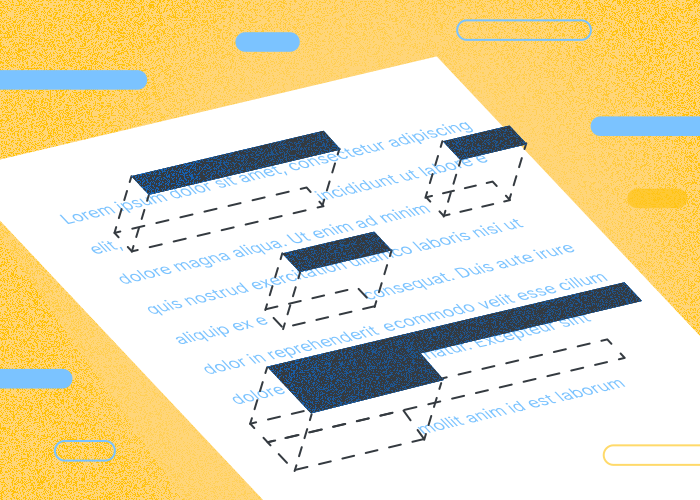
Knowing how to redact a PDF file is essential for maintaining the privacy and confidentiality of sensitive information in shared documents. This is crucial for various fields, whether hiding personal data in legal documents or concealing financial details in business reports.
Covering text with a white shape does not securely remove the underlying content. Use redaction when the content must be removed from the PDF.
Incorporating redaction into one's workflow can safeguard against accidental information exposure. This is especially important when converting files from formats like Microsoft Word or Excel into PDFs.
This process not only applies to visible data on the page but extends to metadata that might carry hidden information, such as the author's name.
What Does “Redact” Mean in PDF?
Knowing how to redact in PDF is essential when dealing with file sharing. But what exactly does it mean to redact information?
Mastering the redaction process involves more than just covering up text or images. It requires awareness of the document's structure to ensure no sensitive information persists in any form.
When you redact information in a PDF, you’re essentially permanently removing any visible text or graphics from the document. Previously, this would have involved using markers to black out text on a document. Now, digital solutions, such as PDFTool, allow this task to be performed accurately and confidentially online to remove all sensitive data in a PDF.
As digital documents continue to play a vital role in communication and data sharing, knowing how to redact information on a PDF is essential for both individuals and businesses. By effectively using PDFTool, you can protect your data from unauthorized access.
How to Redact PDF Files Using PDFTool
Sign in to download your result. See the pricing page for the current subscription and 7-day trial details.
PDFTool’s Online Redactor
Choose the tool for your task and follow its on-screen steps. Contact support if you need help getting started.
Here’s how it works:
Upload Your PDF: Drag and drop your PDF file into the PDFTool’s redactor, or use the upload button to select it from your device or cloud storage.
Selection Tool: Highlight the text or images you want to redact using the selection tool.
Click “Apply Redactions”: This step will permanently remove the selected content.
Save and Download: Once your redacted PDF has been finalized, save your file and download it directly to your device, ensuring all sensitive information is securely removed.
Benefits Of Redacting PDF Files Using PDFTool
Redacting PDF files electronically using PDFTool offers crucial benefits, particularly in terms of speed, security, and privacy. This section highlights eight key benefits that make electronic redaction a valuable tool for both personal and professional use.
Convenience
Using PDFTool to redact a PDF offers unparalleled convenience since you can redact documents from any location. This capability eliminates the need for physical document handling and enables quick transactions.
Speed and Efficiency
Processing time depends on the file size, contents and selected tool. There is no fixed completion time for every document.
Document Access and Password Protection
Using PDFTool for redaction, sensitive data such as Social Security numbers, financial information, or proprietary business details can be concealed.
Before uploading sensitive files, check the privacy information and your organization's requirements. Password protection and team permissions are available for managing documents.
Enhanced Security
Limit access to the people who need it and use password protection where appropriate. Check your organization's rules before uploading highly sensitive files.
Before uploading sensitive files, check the privacy information and your organization's requirements. Password protection and team permissions are available for managing documents.
Environmentally Friendly
By using an online editor like PDFTool, organizations reduce their dependence on paper. This shift contributes to environmental sustainability by decreasing paper waste.
Improved Document Management
Using an online PDF editor like PDFTool facilitates seamless document management. Files are easily stored, organized, and retrieved digitally, reducing the time spent on manual filing.
Reduced Costs
Businesses save on costs associated with printing, mailing, and storing physical documents. Electronic redaction eliminates these expenses, leading to significant savings.
Accessibility
Choose the tool for your task and follow its on-screen steps. Contact support if you need help getting started.
Practical Tips to Keep in Mind Before You Redact Information in a PDF
Redacting a PDF requires careful attention to detail to ensure all sensitive information is thoroughly and permanently removed. Before you use PDFTool to redact a PDF, keep the following in mind:
Identify Sensitive Information
Before starting, identify all personal information needing redaction, such as social security numbers and personal identifiers.
Check for Hidden Content
Hidden information, like metadata, can contain sensitive details. Check and remove such content prior to redacting the visible information.
Consistency is Key
Ensure redaction is applied uniformly throughout the document. This includes using consistent methods and styles.
Redact PDF
Covering text with a white shape does not securely remove the underlying content. Use redaction when the content must be removed from the PDF.
Test Thoroughly
Conduct thorough testing of the redacted document to ensure no sensitive information can be retrieved. This includes checking various PDF readers.
Create a Redaction Log
Maintaining a log of all redactions can help track changes and provide documentation of what information was removed.
Embed Custom Redaction Codes
Consider using custom codes to indicate the reason for specific redactions, which can aid in later review or auditing.
FAQs
What is the best way to redact a PDF?
The best way to redact a PDF is with PDFTool, which offers a secure and intuitive platform.
If you’re wondering how to redact in a PDF or how to redact information on a PDF, PDFTool makes the process simple.
Upload your file, select the areas to hide, and apply redactions to permanently remove the sensitive content.
Before uploading sensitive files, check the privacy information and your organization's requirements. Password protection and team permissions are available for managing documents.
For professionals asking how to redact a PDF document or how to redact info on a PDF, PDFTool delivers accurate and efficient results without the need for additional software.
How to redact a PDF without Adobe Pro?
To redact a PDF without Adobe Pro, use a secure tool like PDFTool.
Choose the tool for your task and follow its on-screen steps. Contact support if you need help getting started.
Simply upload your file, select the text or images you need to hide, and apply the redactions.
PDFTool ensures that sensitive content is permanently removed, offering a reliable way to handle redactions online.
Check the pricing page for current plan details and limits, or ask support about your subscription.
How to block out information on a PDF?
Covering text with a white shape does not securely remove the underlying content. Use redaction when the content must be removed from the PDF.
Choose the tool for your task and follow its on-screen steps. Contact support if you need help getting started.
Confirmation of data removal is crucial to ensure sensitive information can’t be recovered.
Securely saving the redacted version finalizes this process.
How to redact a signed PDF document?
Redacting a signed PDF requires additional care to avoid invalidating the signature. If redaction affects signed sections, re-validation of the document may be necessary.
Signature requirements depend on the document and the applicable rules. Check those requirements before relying on a signature.
Users should save a copy of the original before redaction. This precaution allows for signature checks and verifications post-redaction.
How to redact a PDF on Windows?
To redact a PDF on Windows, use PDFTool. If you’re searching for how to redact in a PDF or how to redact information on a PDF, PDFTool simplifies the process.
Upload your PDF, highlight the text or sections you want to remove, and apply the redactions to permanently delete sensitive content.
Sign in to download your result. See the pricing page for the current subscription and 7-day trial details.
How to redact a PDF on a Mac?
To redact a PDF on a Mac, PDFTool offers a simple and secure solution.
If you’re looking for how to redact on a PDF or how to redact text in a PDF, PDFTool’s intuitive interface allows you to mark and permanently remove sensitive information.
For users wondering how to redact a PDF document or how to black out information on an Adobe PDF, PDFTool ensures the process is both efficient and privacy-focused.
Mac users can upload their file, select areas for redaction, and save the edited document directly from their browser.