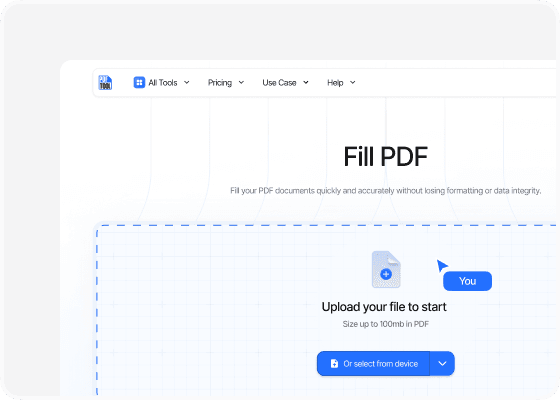

Fill PDF

Fill your PDF documents quickly and accurately without losing formatting or data integrity.

icon
Size up to 100mb in PDF

How It Works

Fill PDF in 3 simple steps

step image
Step 1

Uploading your file

Begin by dragging and dropping your PDF file into the upload section of the PDF editor. This easy start allows immediate interaction with the document. Ensure the file is successfully loaded to proceed to the next steps.

step image
Step 2

Fill PDF

Easily fill out PDF forms, add text, and enter the required information directly into your file.

step image
Step 3

Getting the PDF

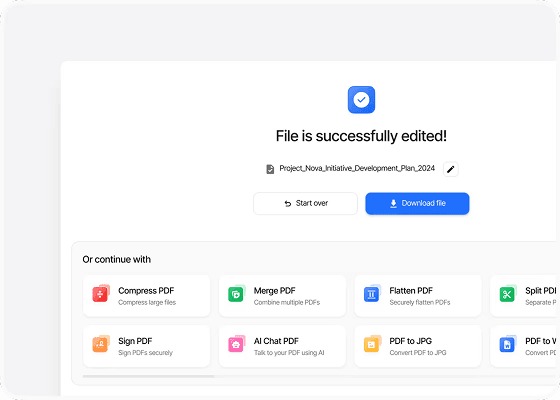
In seconds, you can download your PDF and enjoy a clean, easy-to-read PDF version of your Excel. It is perfectly formatted and ready to share.

Benefits

Why choose our Fill PDF tool?

  • icon

    Ease of use

    With straightforward interfaces, online PDF editors like PDFTool are designed for users of all skill levels. Whether you’re adding text, images, or annotations, PDFTool offers intuitive controls that make the process smooth and hassle-free.
  • icon

    Speed and efficiency

    Editing PDFs online with PDFTool is quick. You can edit your files without the long wait times usually required for traditional software installations or updates, saving you both time and disk space.
  • icon

    Maintaining format

    When you use an online PDF editor like PDFTool, the original format of your document is reliably preserved. This ensures that the layout and design stay intact during editing, which is especially important for professional and formal documents.
  • icon

    Accessibility

    All you need is an internet connection to access PDFTool, giving you great flexibility when you’re on the go. This means you can edit your documents from anywhere, at any time, without any limitations.
  • FAQs

    icon

    An easy way to edit PDF files

    Fill PDF

    Fill PDF documents used to feel like a daunting task reserved for those with specialized software or technical skills.

    Today, PDFTool has changed the game, letting you fill form in PDF files easily and effectively with just an internet connection.

    You can now effortlessly add text, insert images, annotate, and even fill out forms without needing to buy expensive software.

    These advancements remove major barriers, opening up possibilities for professionals, students, and casual users like you.

    PDFTool offers a wide range of features to modify documents directly in your browser, meeting your diverse editing needs efficiently.

    This convenience changes how you manage and share documents, enabling quick edits and seamless collaboration.

    Editing PDFs with PDFTool streamlines your workflow and boosts productivity, making it your go-to solution for document management.

    By putting essential editing tools right at your fingertips, PDFTool makes it easy to adjust content, respond to feedback, and keep your documents up-to-date.

    Its accessibility and versatility enhance both your efficiency and creativity when managing and editing documents.