
OCR PDF

Seamlessly transform OCR to PDF files with our free online OCR converter. Quick and easy, with no downloads or sign-ups required.

icon
Size up to 100mb in PDF

How It Works

OCR PDF in 3 simple steps

step image
Step 1

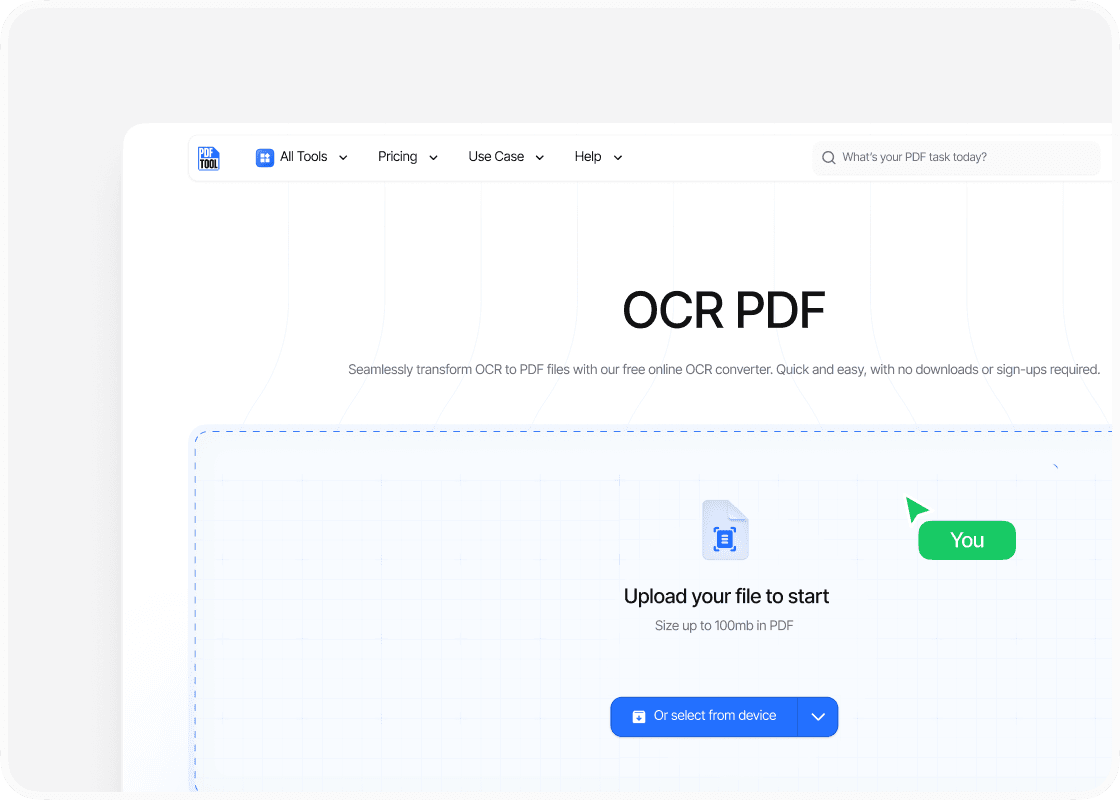
Uploading your PDF

To start converting, simply drag and drop your PDF file into the designated upload section of PDFTool. PDFTool supports several image file formats, such as PNG and JPG, which you can also upload if needed. The intuitive interface makes the process straightforward, whether you’re working with single-page or multi-page scanned PDF documents.

step image
Step 2

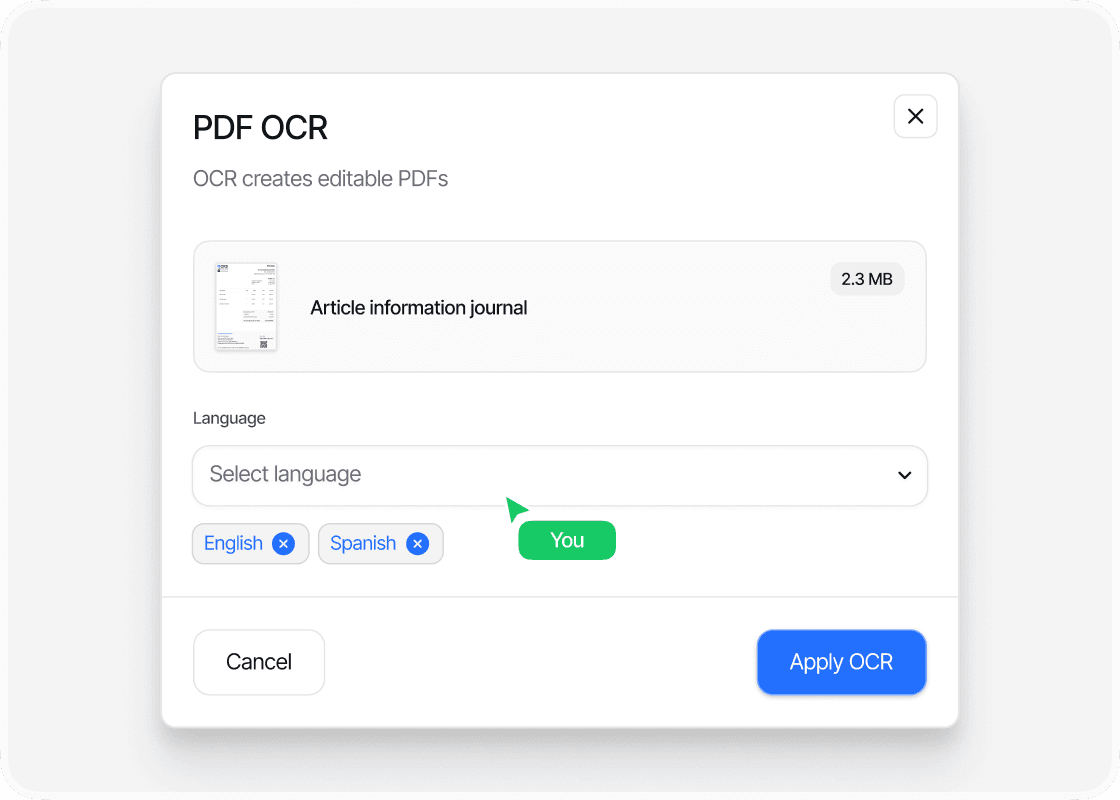
Run the OCR scan

Once you upload your document, PDFTool performs OCR (Optical Character Recognition) to convert images or scanned text into editable and searchable content. During this step, make sure you select the desired settings for text recognition so you can extract specific content effectively.

step image
Step 3

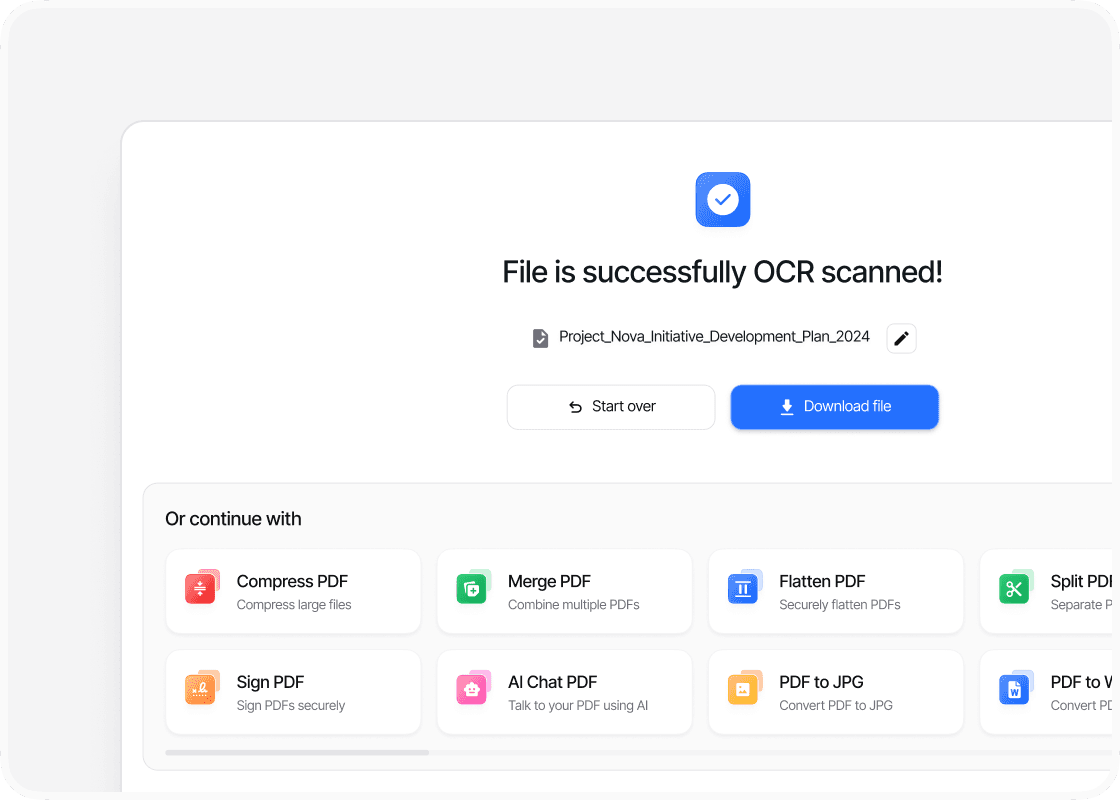
Download the searchable PDF

After the OCR process completes, you can download your newly created searchable PDF. A download button will appear—just click it to save the document to your computer. This final file is now optimized with advanced PDF features, allowing you to search and edit the text as needed.

Benefits

Why use This PDF text scanner?

  • icon

    Speed and efficiency

    PDFTool is designed to quickly convert your scanned documents into searchable text. The process is optimized to handle batches of files, making it ideal for you if you need to process large volumes quickly.
  • icon

    Ease of use

    PDFTool offers you a user-friendly interface that simplifies scanning and text recognition from PDF files. This means you can convert documents with just a few clicks, without needing any specialized knowledge.
  • icon

    Accessibility

    OCR software makes content more accessible by converting hard-to-read scanned documents into selectable and searchable text. This improves usability for individuals relying on screen readers and other assistive technologies.
  • icon

    Maintaining format

    PDFTool’s OCR solution is designed to preserve the original layout and formatting of documents, ensuring a professional and accurate result during conversion. This means tables, images, and text alignment are often retained, reducing the need for manual adjustments.
  • FAQs

    icon

    An easy way to convert OCR to PDF

    Convert OCR to PDF

    Navigating the complexities of managing extensive PDF documents becomes much easier when you use Optical Character Recognition (OCR) technology.

    OCR has revolutionized how you handle scanned documents by converting images of text into machine-readable data.

    With OCR, you can transform static PDF images into searchable and editable text, improving both accessibility and efficiency.

    Whether for professional use or personal convenience, mastering OCR to PDF conversion can greatly optimize your workflow.

    PDFTool provides you with a seamless experience to turn non-searchable PDFs into dynamic documents, allowing you to easily extract and manipulate text.

    This capability helps you save time by reducing manual data entry and searching, so you can focus on more critical tasks.

    By embracing OCR, you can ensure your documents stay versatile and user-friendly.

    This transformation not only boosts your productivity but also ensures that valuable information is preserved and easily retrievable whenever you need it.

    Unlock the full potential of your PDFs by exploring their content like never before with PDFTool’s advanced OCR solutions.